Microsoft Excel Basics: Essential Excel Formulas for Your Next Spreadsheet
Working in Microsoft Excel doesn’t have to feel like a chore. With the right Excel formulas, you can make sense of numbers, clean up messy text, and automate tasks that would otherwise take hours. Think of this as your quick-use guide to the formulas you’ll actually use in your regular work, even if you don’t live in Excel.
1. Crunch the Numbers: Basic Excel Formulas
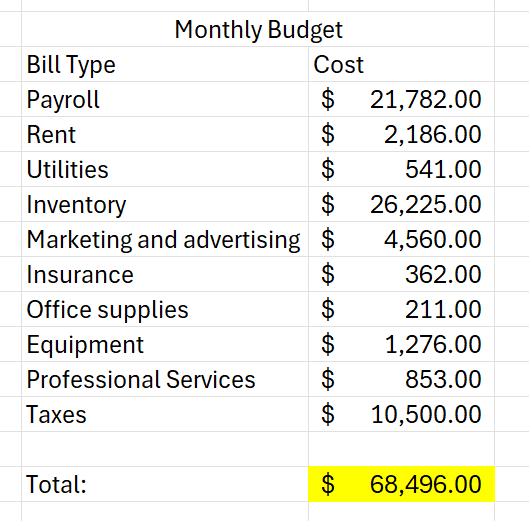
SUM() – Add It Up
The SUM() function is the simplest way to add multiple numbers. Just pick your cells and let Excel do the calculations.
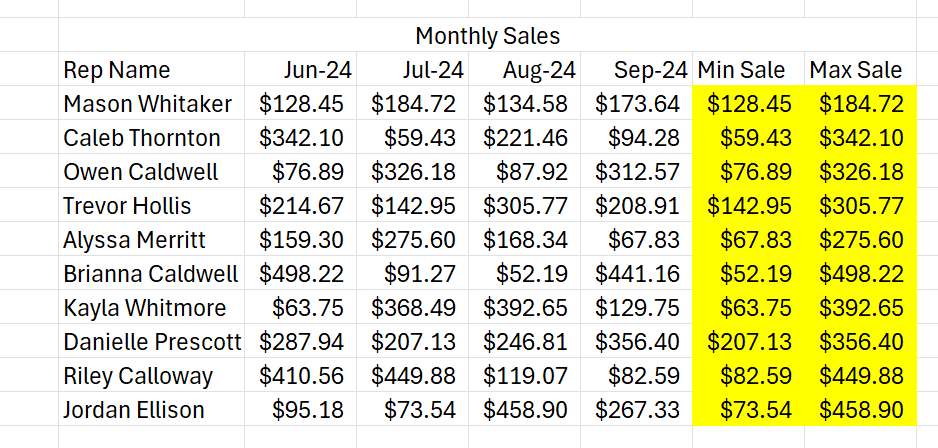
MIN() and MAX() – Spot the Extremes
MIN() finds the smallest number in a range.
MAX() finds the largest.
Perfect for sales reports, project timelines, or performance tracking.
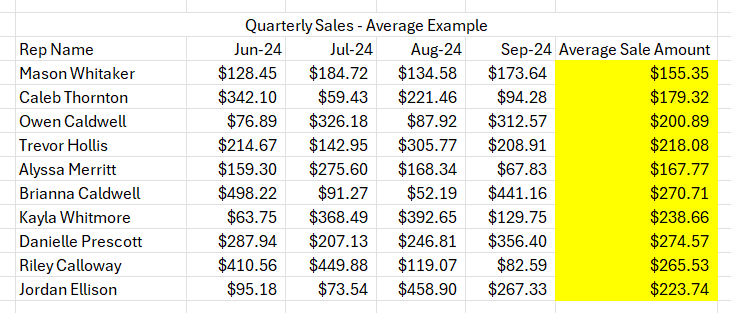
AVERAGE() – Find the Middle Ground
Use AVERAGE() to calculate the mean of selected cells. It works with ranges (C2:C5) or individual cells (C2, C3, C5).
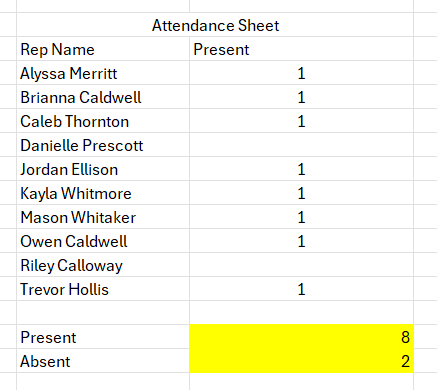
COUNT() and COUNTBLANK() – Track Your Data
COUNT() counts numeric entries, skipping blanks or text.
COUNTBLANK() does the opposite, helping you identify missing data.
2. Tame Your Text: Text Formulas in Excel
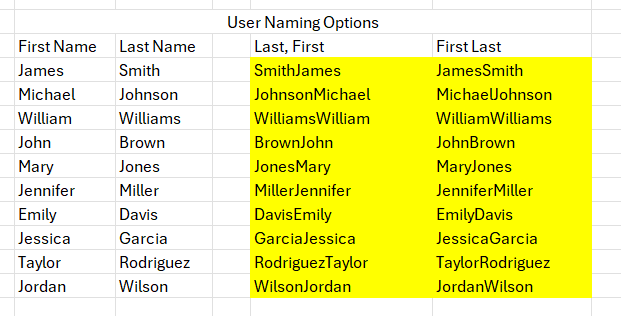
CONCAT() – Put Text Together
CONCAT() joins text from multiple cells, like first and last names, in a single step
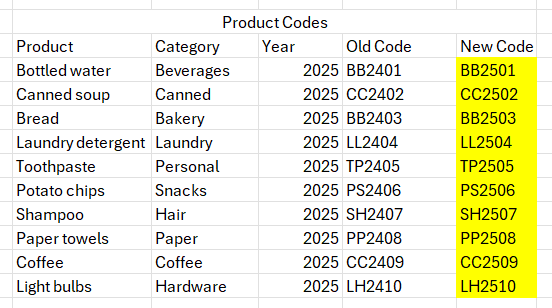
REPLACE() and SUBSTITUTE() – Swap It Out
REPLACE() swaps characters based on position.
SUBSTITUTE() swaps specific text (or only certain occurrences).
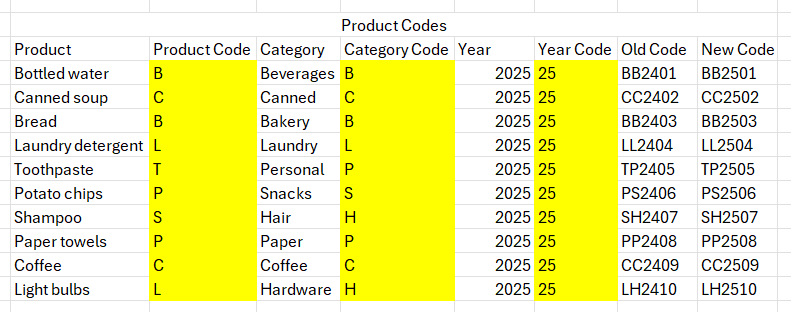
LEFT(), MID(), RIGHT() – Extract Text
LEFT() grabs characters from the start.
MID() grabs from the middle, using starting position and length.
RIGHT() grabs from the end.
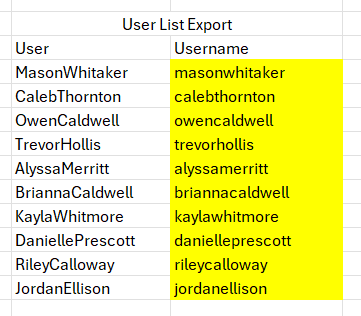
UPPER(), LOWER(), PROPER() – Adjust Case
UPPER() → all caps.
LOWER() → all lowercase.
PROPER() → capitalize the first letter of each word.
3. Keep Track of Dates: Date & Time Formulas
NOW() and TODAY() – Stay Current
NOW() returns the current date and time.
TODAY() returns only the current date.
4. Make Decisions: Logical Formulas
IF() – Simple “Yes or No” Logic
IF() works like a mini decision-making tool in Excel. Evaluate a condition, and Excel returns one value if TRUE, another if FALSE.
Wrapping Up
These Microsoft Excel formulas aren’t just for spreadsheets - they’re your toolkit for smarter, faster, but still great work. From crunching numbers and cleaning text to tracking dates and looking up data, keep these formulas handy for your next Excel task.